Botanical Basics Pattern Set
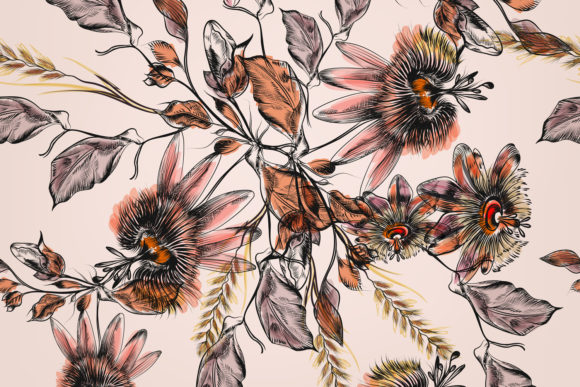
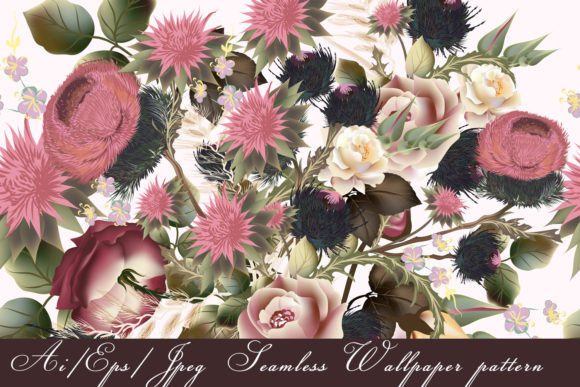
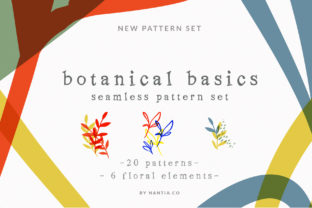
If you love soft florals, clean botanical motifs, and design flexibility—without the steep learning curve—then the Botanical Basics Pattern Set is built for you. It’s a thoughtfully curated collection of 20 seamless floral patterns, each rooted in nature but designed for real-world use: think delicate leaves, subtle blossoms, and quiet stems rendered in timeless basics colors like sage, cream, charcoal, terracotta, and muted navy.
What Makes These Patterns So Practical?
Every pattern arrives with a transparent background—no clipping masks or tedious erasing needed. That means you can drop one into your project and instantly change the backdrop color to match your brand palette, mood board, or seasonal campaign. Whether you’re lightening a social media story background or deepening the tone of a wedding suite, the shift takes seconds—not hours.
All 20 patterns are delivered in three versatile formats: vector-based PDF (ideal for scaling without pixelation), high-res PNG (perfect for quick drag-and-drop in Canva or Photoshop), and PAT files (for direct use as fill patterns in Adobe Photoshop). Plus, there are six additional botanical arrangements—standalone vector illustrations you can layer, recolor, or reposition freely. Because everything is vector-based, nothing locks you in: resize, recolor, rotate, or combine elements however your project demands.
Where You’ll Actually Use This Set
Unlike decorative assets that sit unused on a hard drive, the Botanical Basics Pattern Set fits naturally into everyday creative workflows:
- Blog & website design: Use a subtle leaf motif as a light background texture behind text blocks—or go bolder behind a hero banner. The transparency makes it easy to adjust contrast and readability.
- Social media templates: Create cohesive Instagram story grids, Pinterest pins, or Reels overlays with consistent botanical rhythm—no need to design from scratch each time.
- Wedding stationery: Soften an invitation suite with a barely-there floral repeat, or add elegance to envelope liners, thank-you cards, or digital RSVP pages.
- Packaging & labels: Apply patterns to soap wraps, tea boxes, or candle jars—scale them to fit narrow bands or full panels without losing clarity.
- Textile & surface design: Print onto fabric for tote bags, napkins, or pillow covers. Since all files tile seamlessly, repeats stay clean at any scale—even on large-format prints.
Beginners appreciate how little technical knowledge is required: open a PNG in Canva, set blending mode to Multiply or Overlay, and watch it harmonize with any background color. Pros love the vector flexibility—adjusting stroke weight, isolating a single petal, or converting a pattern into a custom brush in Illustrator.
Why Designers Keep Coming Back to Botanical Motifs
Botanical graphics carry quiet warmth and universal appeal. They feel grounded, intentional, and human—never cold or overly digital. That’s why they work across so many contexts: a wellness coach uses them to soften a course landing page; a small-batch candle maker applies them to eco-friendly packaging; a teacher creates calming printable planners for students. The Botanical Basics Pattern Set meets that need without leaning into trendiness—it’s understated enough to age well, detailed enough to feel considered.
What to Know Before You Start Using It
First—these are design assets, not finished templates. The mock-ups you might see in previews (like a styled notebook or framed print) aren’t included. What you get are the raw, editable files—clean, organized, and ready for your own vision.
Second—while the patterns are seamless by design, always test tiling at your intended size. A subtle misalignment may only show up when scaled to 200% or printed large. Most design apps preview tiling live (Photoshop’s Pattern Overlay, Figma’s Repeat Grid), so take a moment to zoom and scroll before finalizing.
Third—the basics color palette is intentional, not limiting. Each pattern was created with neutral harmony in mind—so even if your brand uses bright coral or deep indigo, these florals will recolor smoothly. Try adjusting hue/saturation in Photoshop, or use the “Recolor Artwork” tool in Illustrator to explore dozens of variations in under a minute.
A Few Realistic Tips for First-Time Users
- Start simple: Pick one pattern, apply it as a subtle background overlay at 5–10% opacity, and build outward from there.
- Pair textures wisely: A fine-line floral pattern pairs beautifully with a hand-drawn border or linen-textured base—but can compete with busy photos or dense typography. Let it breathe.
- Think beyond flat surfaces: Try applying a pattern to a 3D mock-up’s label area, or use it as a displacement map in Photoshop for gentle organic distortion.
- Keep your file organization clear: Name layers meaningfully (“Botanical_Basics_Pattern_07_Sage”), especially when combining multiple files in one layout.
You don’t need to be a graphic designer to benefit from the Botanical Basics Pattern Set. If you’ve ever spent 20 minutes searching for “light floral background PNG no copyright,” tried to trace a flower from Google Images, or wished your Canva template felt more *yours*—this set answers those quiet frustrations. It gives you control without complexity, beauty without bloat, and botanical charm that feels earned—not borrowed.
Whether you're sketching ideas on paper or building a Shopify store from scratch, these patterns meet you where you are. And because they’re built to adapt—not dictate—you’ll find yourself reaching for them again and again: for a client pitch, a personal project, a last-minute gift wrap idea, or just the quiet joy of making something gently lovely.
Enjoy, Nantia—and yes, we hope you make something cool with it too.