Floral Vintage Pattern with Rose Flowers
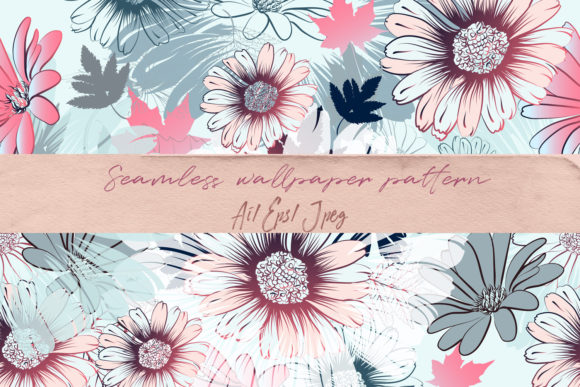
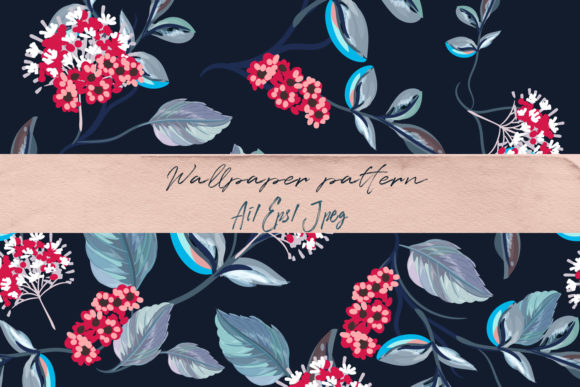
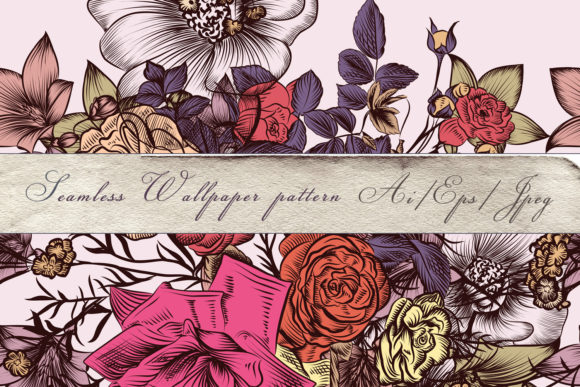
A Floral Vintage Pattern with Rose Flowers is more than decorative—it’s a functional design asset built for real-world creative workflows. This high-detail, hand-drawn vector pattern merges classic botanical elegance with modern technical precision. Its seamless construction and 100% vector foundation mean it scales infinitely without loss of fidelity—making it equally effective on a business card or a 20-foot event backdrop.
Unlike raster-based floral motifs that blur or pixelate when enlarged, this pattern retains crisp linework, subtle texture, and nuanced petal shading at any size. That reliability transforms how designers, small business owners, and event planners approach visual consistency across touchpoints—from digital invites to printed fabric swatches.
Where It Fits in Your Creative Process
This pattern doesn’t sit in isolation. It integrates early and often: during mood board development, brand identity refinement, product prototyping, or print production planning. For example, a wedding stationery designer might use the Floral Vintage Pattern with Rose Flowers to establish tonal cohesion across save-the-dates, menus, and signage—before finalizing typography or color palettes. Because it’s delivered in both AI and EPS10 formats, it slots directly into Adobe Creative Suite workflows without conversion delays or compatibility hiccups.
For fabric designers, the seamless tiling means no manual alignment or repeat adjustments in textile software like Kaledo or Illustrator’s Pattern Options panel. The JPEG preview (5000×5000 px) serves as an immediate reference for color matching and layout testing—especially useful when coordinating with printers who require high-res proofs before bulk runs.
Before the Project: Preparation and Compatibility Checks
Before importing the pattern into your project, verify your software version supports AI CS2 and EPS10 files. While most current design tools handle these formats natively, older versions may require minor export steps. If you’re using Affinity Designer or CorelDRAW, open the EPS10 file first—it preserves layers and transparency better than AI exports in non-Adobe environments.
Organize your assets proactively: store the AI file as your editable master, the EPS10 as your cross-platform fallback, and the JPEG preview in a “references” folder—not alongside working files. This prevents accidental use of low-fidelity previews in place of vector sources. Naming conventions matter too: floral-vintage-rose-master.ai, floral-vintage-rose-eps10.eps, floral-vintage-rose-preview.jpg ensures clarity when collaborating or revisiting projects months later.
During Implementation: Workflow Examples
Wedding Decor & Stationery: Apply the pattern as a background layer in InDesign layouts. Use Illustrator’s “Object > Pattern > Make” to adjust tile spacing if needed—though the default seamless repeat requires no tweaking for standard paper sizes (A4, 5×7”, 8.5×11”). For foil-stamped invitations, isolate rose elements using the Direct Selection Tool and convert them to spot-color paths, preserving fine detail during prepress.
Fabric & Surface Design: Import the AI file into textile design software. Scale the pattern to match your fabric’s repeat requirement (e.g., 24” horizontal × 24” vertical for quilting cotton). Because all elements are vector-based, you can recolor individual roses or stems non-destructively—ideal for creating coordinated collections (e.g., blush + sage, navy + gold) without redrawing.
Digital Marketing Assets: Use the JPEG preview to mock up social media banners or email headers in Canva or Figma. Then replace it with the vector version for final export—ensuring sharpness on retina displays and accessibility-compliant contrast ratios. The consistent line weight and balanced negative space prevent visual fatigue in long-scrolling web pages or landing pages.
After Delivery: Long-Term Usability and Quality Control
Vector art endures—but only if managed intentionally. Archive the original files with metadata: embed copyright info in the AI file’s Document Info panel (File > File Info), and add keywords like “vintage rose,” “seamless wallpaper,” and “wedding pattern” for internal searchability. Avoid flattening layers unless required by a specific output process; keeping stems, leaves, and blooms on separate layers allows selective recoloring or removal down the line.
When sharing with clients or contractors, send the EPS10 file—not the AI—unless they specifically use Adobe tools. EPS remains the safest universal format for vendors handling print production, embroidery digitizing, or laser-cutting templates. Always include a brief usage note: “This pattern repeats seamlessly—no trimming or alignment needed.” It saves time and reduces miscommunication.
Practical Tips for Consistent Results
- Color accuracy: Calibrate your monitor before adjusting hues. The hand-drawn character relies on subtle saturation shifts—especially in rose gradients—so soft-proof against your printer’s ICC profile when possible.
- Crop safety: When designing for physical products (e.g., wrapping paper, wallpaper rolls), extend the pattern 0.125” beyond trim edges. The seamless nature makes this effortless—just duplicate and offset tiles.
- Typography pairing: Match serif fonts with high x-heights (e.g., Playfair Display, Mrs Eaves) to echo the pattern’s classic rhythm. Avoid ultra-thin or condensed sans-serifs—they compete with the delicate line work.
- Accessibility check: Test contrast between pattern elements and background colors using WebAIM’s Contrast Checker. Light-on-light combinations (e.g., ivory roses on cream) may fail WCAG AA standards for text overlays.
Integration With Other Tools and Assets
This pattern works alongside—not apart from—your existing toolkit. Pair it with vintage-inspired typefaces (like Cinzel or Cormorant Garamond) for cohesive branding systems. Use it as a base layer beneath photography in Photoshop: apply a Multiply blend mode to let textures show through while maintaining floral definition. In Figma, import the SVG export (convert EPS10 via Illustrator) to create interactive prototypes where hover states reveal hidden rose details—ideal for boutique e-commerce sites.
For educators or content creators building printable resources (planners, worksheets, teaching kits), the pattern adds tactile warmth without sacrificing readability. Print it at 10–15% opacity behind text blocks to evoke heritage stationery—then lock the layer to avoid accidental edits during content updates.
The creator’s note—“Creating this illustration was a work of joy for me”—isn’t just sentiment. It reflects intentional craftsmanship: every curve, stem junction, and petal overlap was drawn to support usability, not just aesthetics. That intention shows up in clean anchor points, logical layer grouping, and predictable path behavior—factors that reduce troubleshooting time mid-project.
Whether you’re launching a bridal boutique, refreshing a café’s interior branding, or designing a limited-edition notebook series, the Floral Vintage Pattern with Rose Flowers functions as both foundation and finish. It accelerates iteration (no redraws for scale changes), strengthens visual continuity (same motif across mediums), and holds up under scrutiny (crisp at 200% zoom, legible at 12 pt). That’s not just convenience—it’s workflow integrity.